Your First Workspace
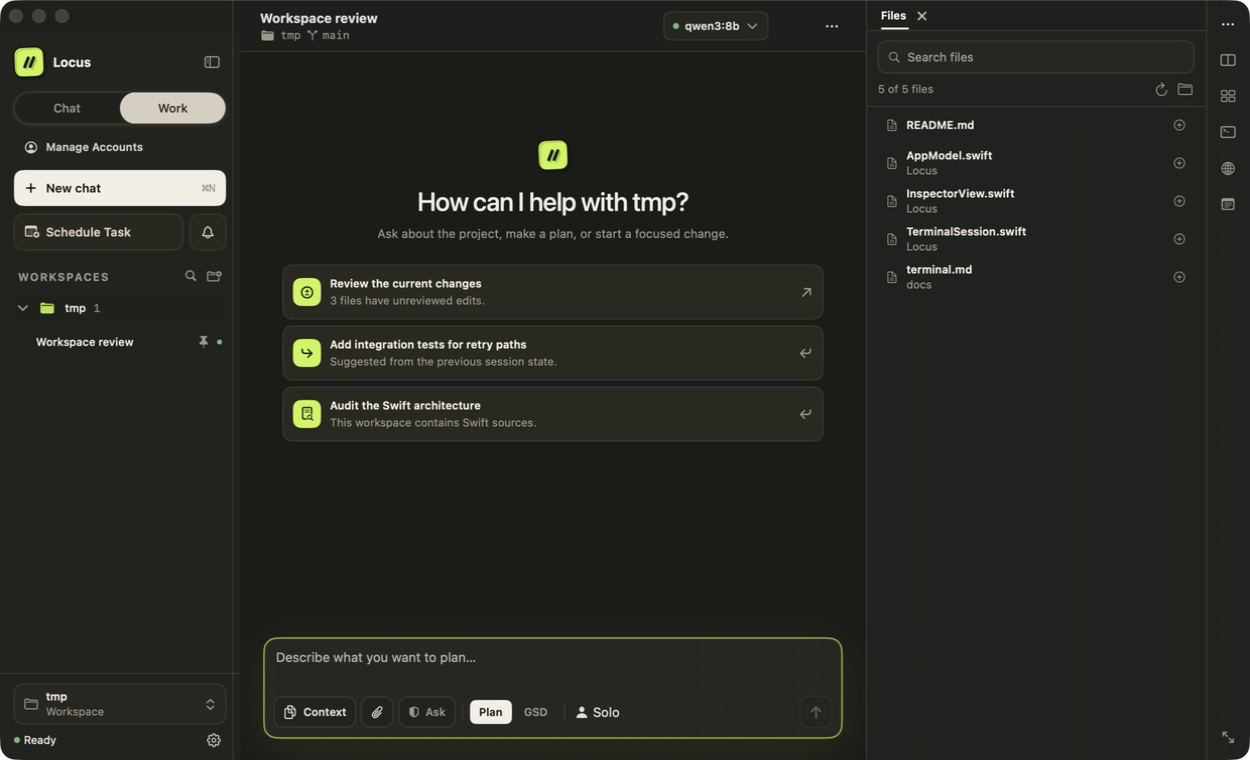
Open or create a folder
Choose Add Existing Folder… or New Workspace Folder…. Locus groups chats by their real folder and remembers the most recent chat in each workspace.
Choose a model route
Use local Ollama for on-device work, sign in with an eligible ChatGPT plan, or add an API provider under Settings → Models & Providers. Locus never silently switches from local or plan access to a paid API route.
Pick a mode
Use Ask for conversation-only work. Work can inspect, plan, implement, and delegate bounded research or isolated coding work. Plan stops at an approval boundary. Grill asks one focused question at a time and never modifies the project; when the shared understanding is approved, implementation continues in Work.
Send a bounded first task
Try: “Read the README and summarize how to run the tests. Do not change files or run commands.”
Review the evidence
Follow the Overview popup near the top right during the request. Open Files for project content, Changes for the real Git tree, Context for token usage, and Runs for durable Solo or team history. An open inspector replaces Overview in that area.
Workspace behavior
Chats autosave locally and can be organized into nested folders. Add a named checkpoint before a risky conversation change. Use Hand Off to Worktree or Duplicate with Worktree when implementation should happen in an isolated Git checkout.
Press ⇧⌘9 to open the Notebook and find every note associated with this workspace, its chats, the shared note, and any older note that can no longer be linked to an owner.
Save and revisit the result
Open Library from the sidebar or press ⇧⌘L. Documents and Outputs open without replacing the current conversation or its draft. Outputs keeps saved versions of deliverables, links back to the source chat, and offers preview, export, compare, and revision actions.
For guided examples, use Help → Getting Started. The document example produces Locus Summary.md; the coding example produces Repository Overview.md.