Models & Accounts
Locus starts with local Ollama and never silently changes to a paid route.
| Route | Authentication | Notes |
|---|---|---|
| Ollama | Local service | Default; model weights and prompts stay on your configured Ollama host |
| ChatGPT plan | OpenAI-managed browser sign-in | Uses eligible plan access, not an API key; direct builds download the Codex component once |
| OpenAI API | API key | Separate from ChatGPT plan usage and billing |
| Claude | Anthropic API key | Uses Anthropic's native Messages API |
| Kimi / Kimi Code | Moonshot credentials | Separate products, hosts, keys, and catalogs |
| Custom endpoint | Provider key if required | Compatible OpenAI-style API such as vLLM, TGI, llama.cpp, or a hosted GPU |
The model picker is account-aware, so the same model name under two accounts is never ambiguous. A failed switch restores the previous active route rather than leaving the interface and backend out of sync.
ChatGPT accounts add per-account choices for the Locus or Codex-native conversation contract, model-supported reasoning effort, and optional OpenAI web search. New accounts start with Locus's own tools; existing accounts keep their prior contract setting.
Find and customize settings
Open Settings to manage model accounts, permissions, tools, and appearance. Model account configuration is under Models & Providers; reusable profiles are under Specialists & teams in the Agent settings.
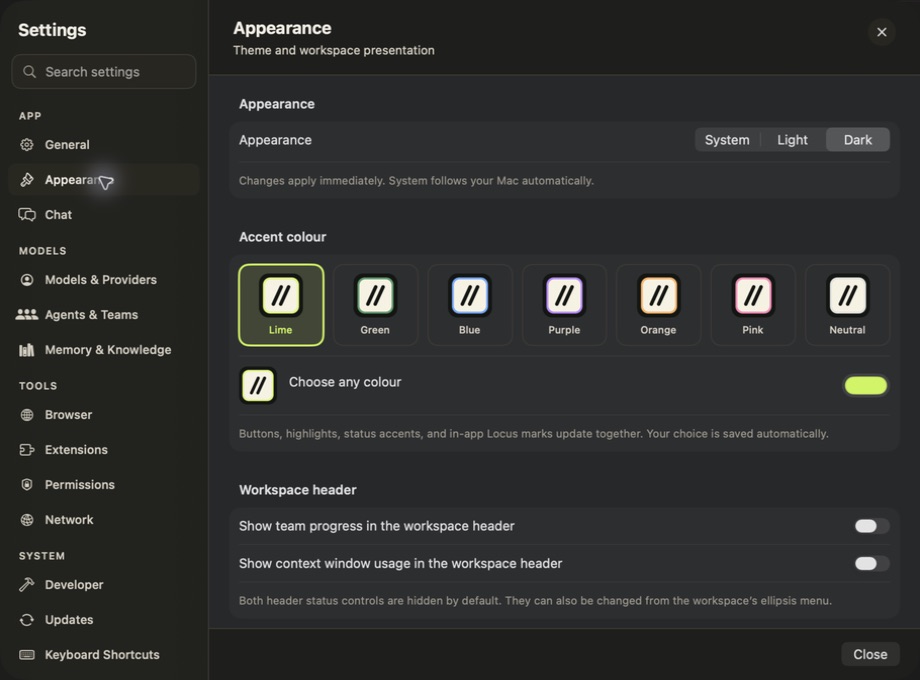
Appearance settings in the wallet-free app. The navigation also leads to model, tool, and permission controls.
Image generation and appearance
Under Settings → Models & Providers → Image generation, choose an OpenAI API or compatible image account, model, default size, and quality. Image generation is separate from ChatGPT-plan access and the ordinary conversation route. See Images & Interactive Answers.
New settings default to Dark appearance. Choose another theme under Settings → Appearance; updating preserves a theme you already selected.