Locus
Locus 2.7 brings conversations, files, a terminal, browser tabs, plans, recurring Agents, and saved deliverables together. Use local Ollama, an eligible ChatGPT plan, or a provider API account. Local Ollama is the default; Locus never silently switches to a paid account.
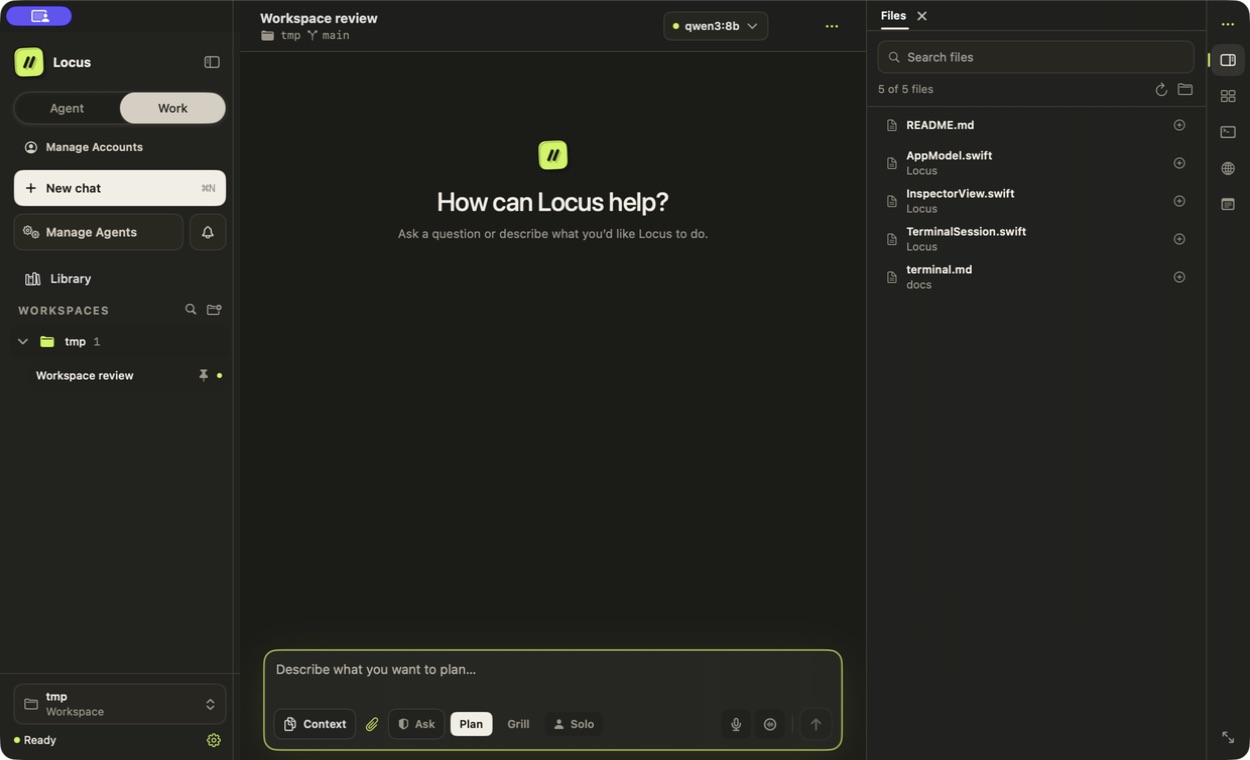
The wallet-free workspace with demonstration data. The Files panel keeps project material beside the conversation.
Download Locus 2.7.0 · Product website · Release notes
Start with the work you want to do
| Your task | Start here |
|---|---|
| Connect a model and complete your first request | Getting Started |
| Work with project files, the browser, and a terminal | Working in Locus |
| Search documents and keep deliverable versions | Library, Documents & Outputs |
| Run work on a schedule or incoming event | Agents & Automation |
| Keep a chat working toward an objective | Persistent Goals |
| Plan with one model and implement with another | Task Capsules |
| Delegate to helpers or a configured team | Agent Teams |
| Reuse private profile details with explicit review | Identity Vault |
What is new in 2.7
A clearer workspace. Overview appears near the top right during a request and makes room for the inspector you open. The right toolbar separates the panel toggle from Browser, Terminal, Context, and Notes. New settings start in dark appearance; an existing theme choice stays as you set it.
See what uses your context. Chat Context shows a segmented usage bar, token counts, percentages, expandable categories, reserved capacity, and free space. Estimates and provider-managed context are identified.
Create pictures and interactive explanations. Images & Interactive Answers explains how to choose an image account, generate or edit a picture, and save a result. Interactive answers include a written summary for exports and mobile.
Keep longer work close at hand. The composer workflow menu groups Work, Plan, Grill, Goal, Task Capsules, and Solo or team options. Library previews add image zoom, document controls, sorting, and clearer export and version actions.
Automatic updates after one upgrade. Install 2.7 once if you use 2.6 or earlier. Future direct-download Locus updates can download in the background and install when you quit. Your update preferences remain under your control.
Requirements and editions
Use an Apple Silicon Mac running macOS 14 or later. Packaged apps include the agent runtime. Local Ollama and model weights are separate installations; hosted accounts use their own access and billing.
Locus is wallet-free. Wallet functionality belongs to the separate LocusX edition. Identity Vault is a private profile-and-document feature and does not provide cryptocurrency wallets. Installing Locus preserves existing Locus chats, accounts, settings, and browser data; it does not import or delete wallet data.
These docs describe the 2.7.0 release, with automatic updates for the direct-download app. See Install Locus before upgrading an older installation.
Screenshots use demonstration data and may show an earlier toolbar layout. The text describes the controls in 2.7; your selected model, files, and activity will differ.